

Custom R Environments with Mamba
Creating a Mamba environment for specific R versions
Tempest is now configured to run RStudio-Server on compute nodes.
RStudio-Server will accept any version of R you have installed. RCI recommends using Mamba (aka. Anaconda) environments as they are easily managed and R packages (extensions) are easily installed with all the proper dependencies.
To install R versions beyond the default 4.2.1, log into Tempest through the Terminal:
ssh <NetID>@tempest-login.msu.montana.edu
To create a mamba environment with a new version of R:
module load Mamba
mamba init # ONLY run this if you haven't initialized the shell
mamba create -n <name> r-base='VERSION' #<name> is the name of the environment
To get a list of available R versions (only a subset of output shown below):
mamba search r-base # r-base is the base R package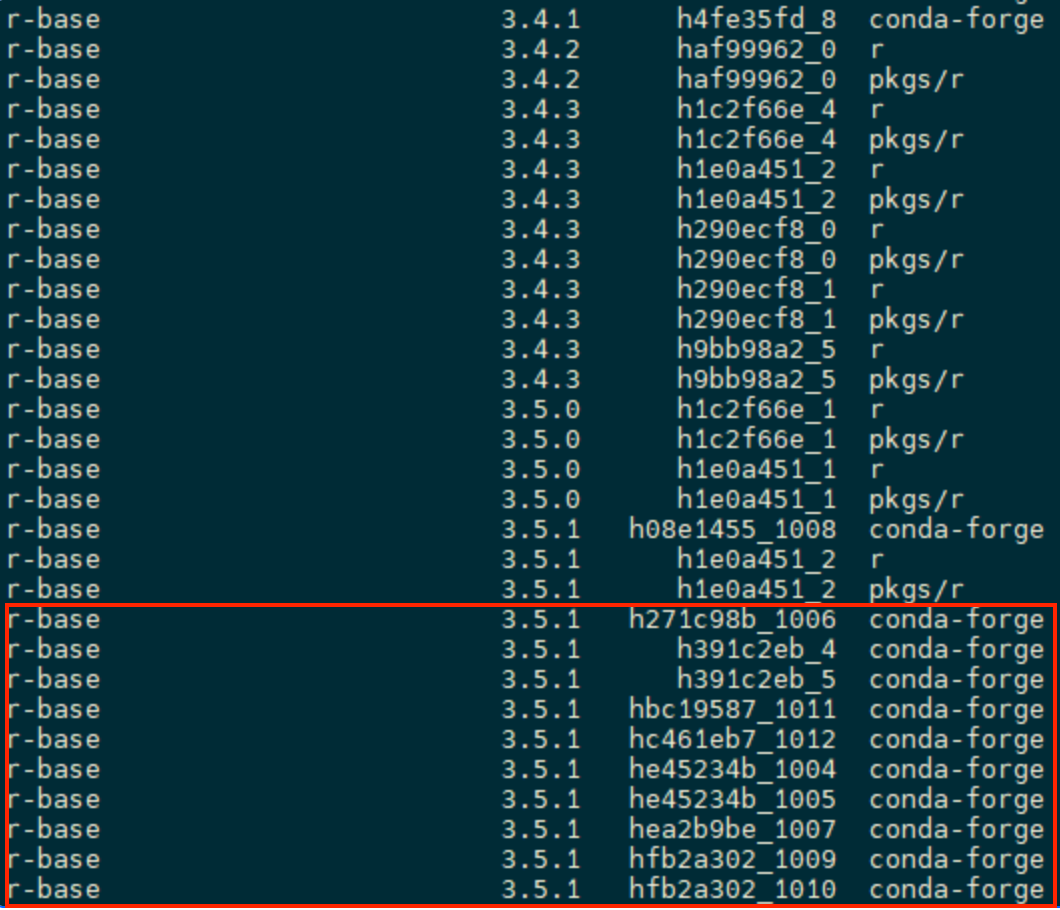
*Note: RCI recommends you use the Anaconda channel “conda-forge”, it is the most widely supported. This will be the default in the below commands.
Create a new mamba environment for your specific R version:
mamba create -n <name_of_environment> r-base='<name_of_R_version>
# For example:mamba create -n r3.5.1 r-base='3.5.1'
Verify successful creation of the Mamba environment:
mamba env list
# conda environments:
#
r3.5.1                   /home/<your_net_id>/.conda/envs/r3.5.1
The first column shows you the names of your mamba environment. The second shows you the location of your mamba environment