
Introduction to Degree Works
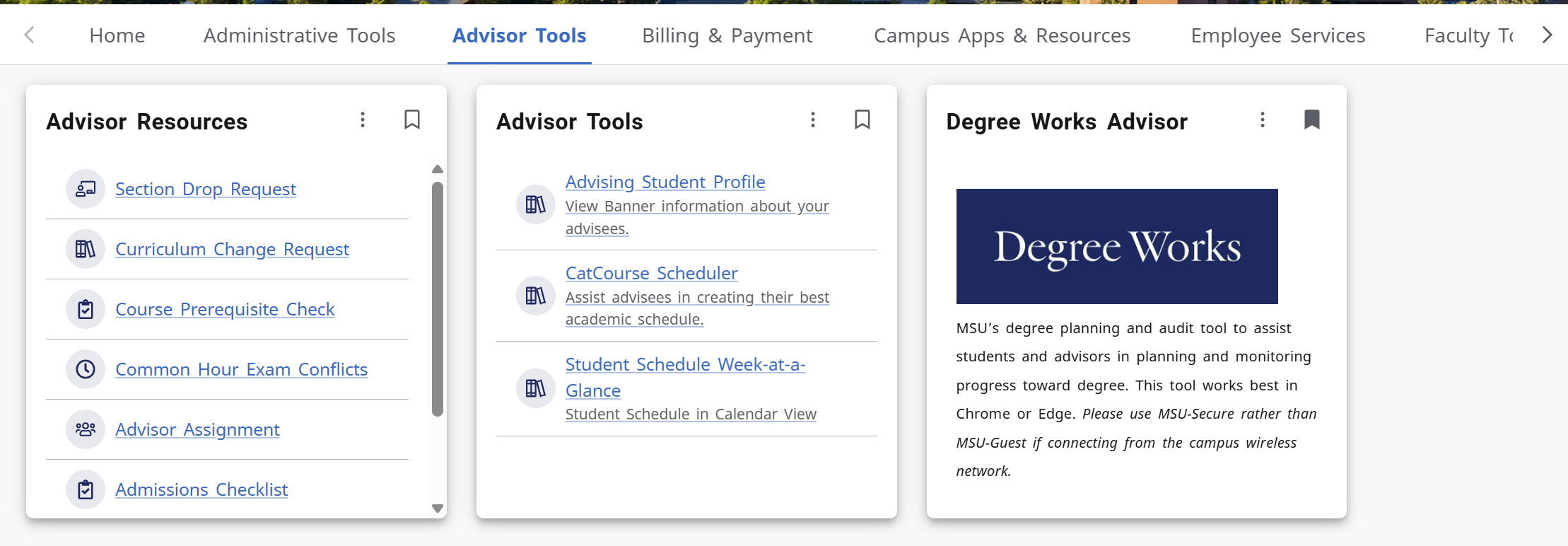
- Log into MyMSU using your NetID and password
- Click on Advisor Tools Tab
- Click on Degree Works Advisor box
Degree Works Audit Page
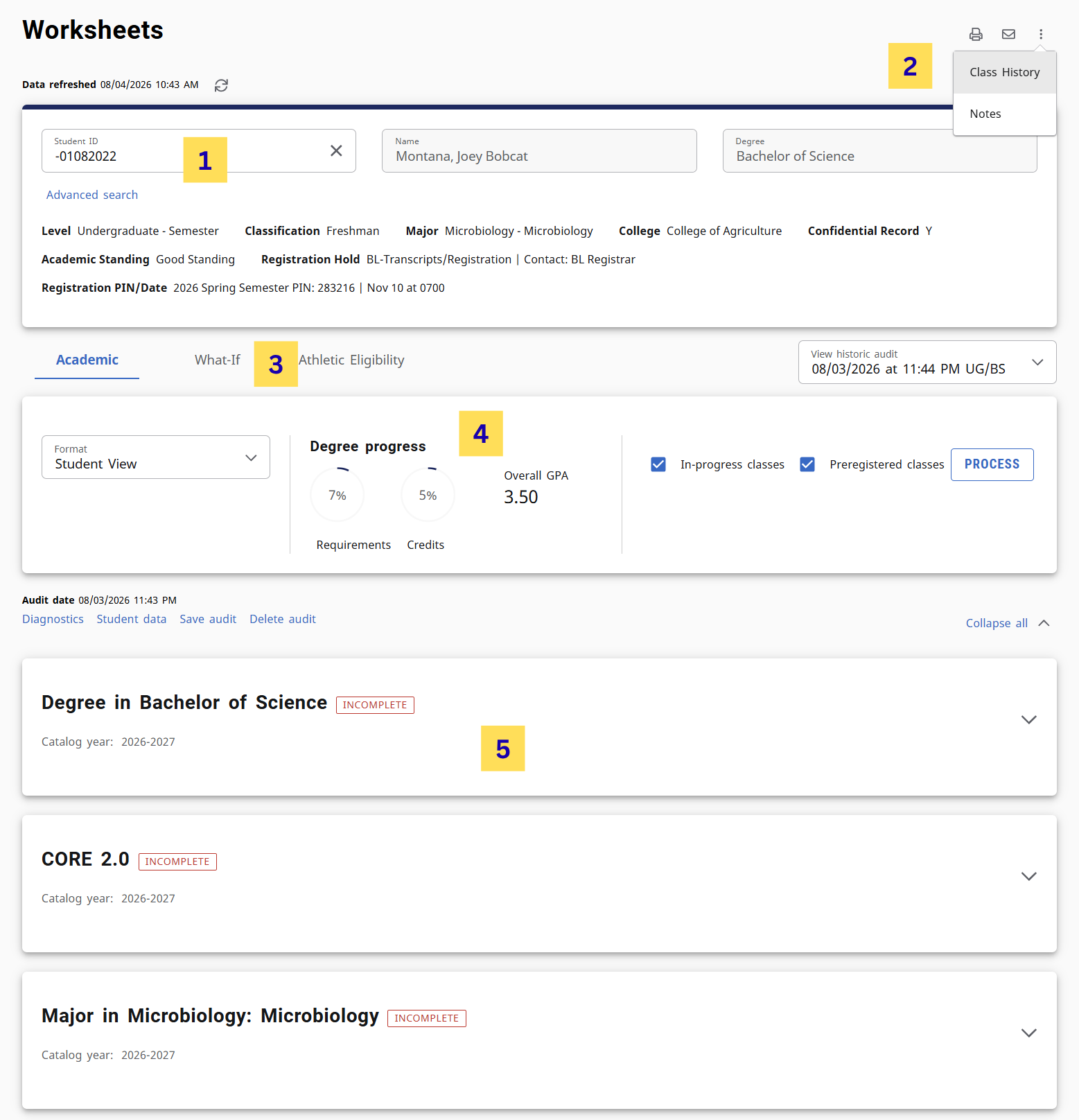
- Student Header
- Print, Course History, Notes
- What-If
- Degree Progress
- Degree Audit Page (Degree, CORE 2.0, Major)
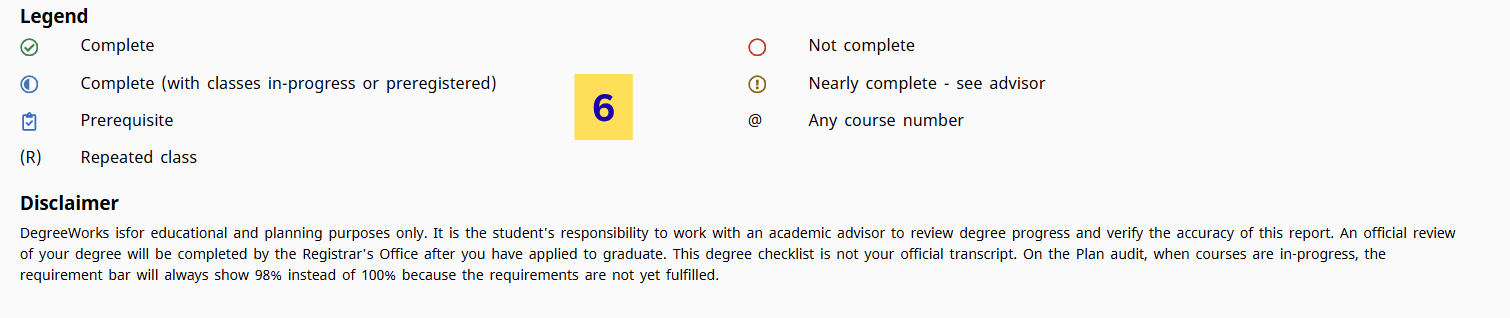
- Legend and Disclaimer
STUDENT HEADER
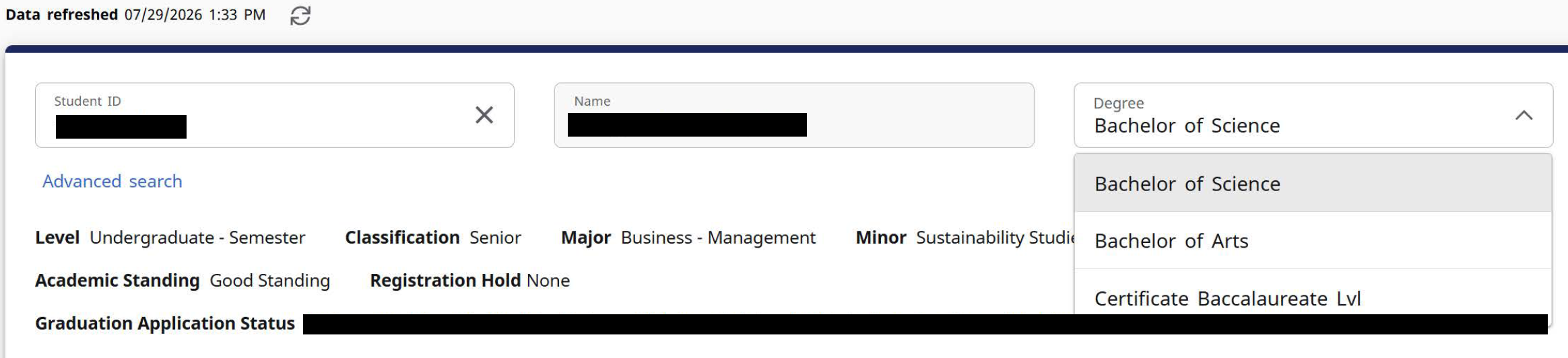
This area provides record information such as classification, major, college, concentration, academic standing.If your student has any holds preventing registration they will populate here as well as your student’s graduation application status

SEARCH FOR A STUDENT
Advisors can use the Student Header to search for students. Type the Student’s ID into the Student ID block and hit Enter. The student’s Degree Works audit will populate.
ADVANCED SEARCH
Advanced Search allows Advisors to search for a student by name or to view a population of students that meets specified criteria. Use the drop-down menus to customize your search.
- A list of students will populate based upon the filtered criteria.
- Columns may be sorted by hovering over the column header and clicking.
- Use the checkboxes to select or deselect students for viewing then click Select.
- If you selected multiple students, use the Student Select drop-down to view and select from the list of students.
DEGREE SELECTION
If a student has multiple degrees, you can view their additional requirements by selecting the Degree drop-down.
DEGREE PROGRESS
The Degree Progress percentage takes into consideration all College, University, and Degree requirements. The percentage will not equal 100% until all coursework is completed and degree requirements met. The Overall GPA shown includes all credits completed (This does not include transfer credit).

Requirement Status
COMPLETED REQUIREMENTS
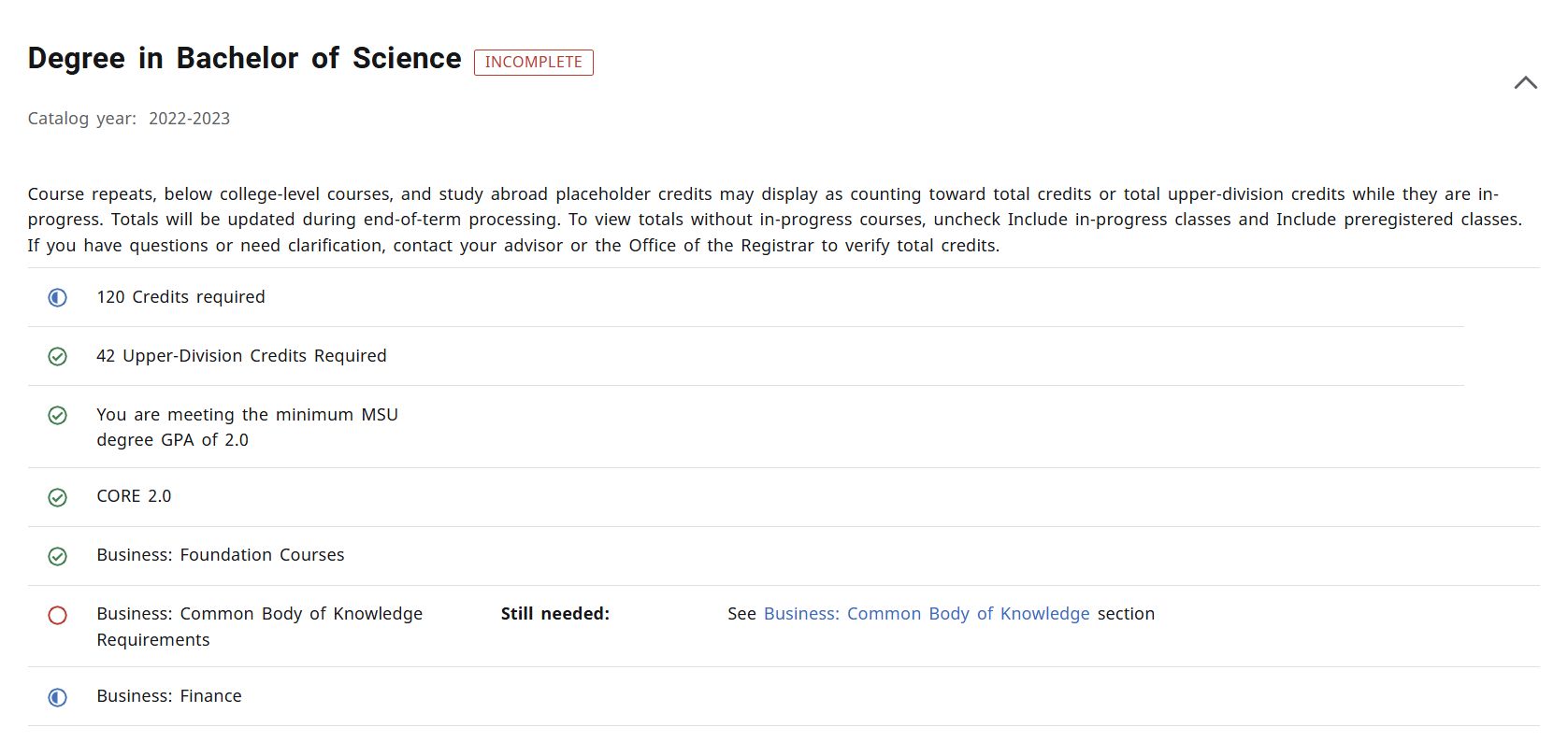
Indicated with a green check mark, these requirements have been completed.

INCOMPLETE REQUIREMENTS
Indicated with a red, empty circle, these requirements have not been completed.

IN-PROGRESS REQUIREMENTS
Indicated with a blue, half-filled circle, these requirements are in-progress.

The Degree Works audit is organized into multiple sections called blocks. Blocks can collapse and expand individually or all together by using the arrow at the top right corner of each block, or the collapse/expand all arrow above the Degree Block.
DEGREE BLOCK
The Degree Block summarizes the main components required to complete a degree. In addition, any unmet conditions will appear in this block such as minimum overall GPA, minimum overall and upper-division credits.
CORE 2.0 BLOCK
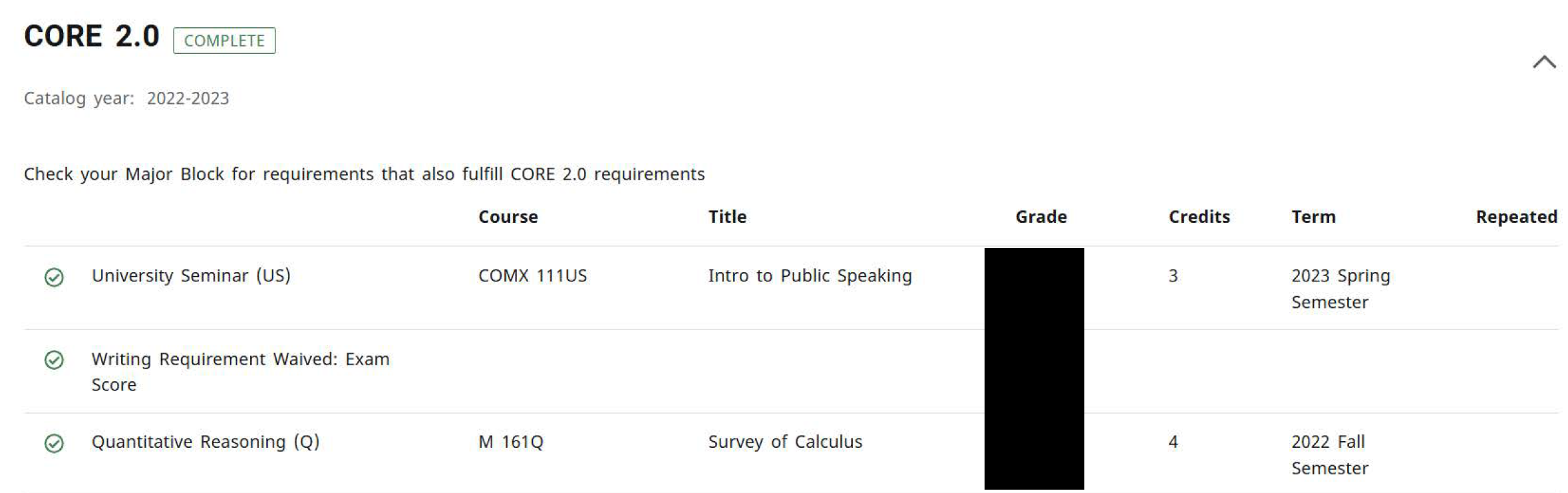
The CORE 2.0 Block lists the requirements necessary to complete the general education requirements through Montana State University.
MAJOR BLOCK
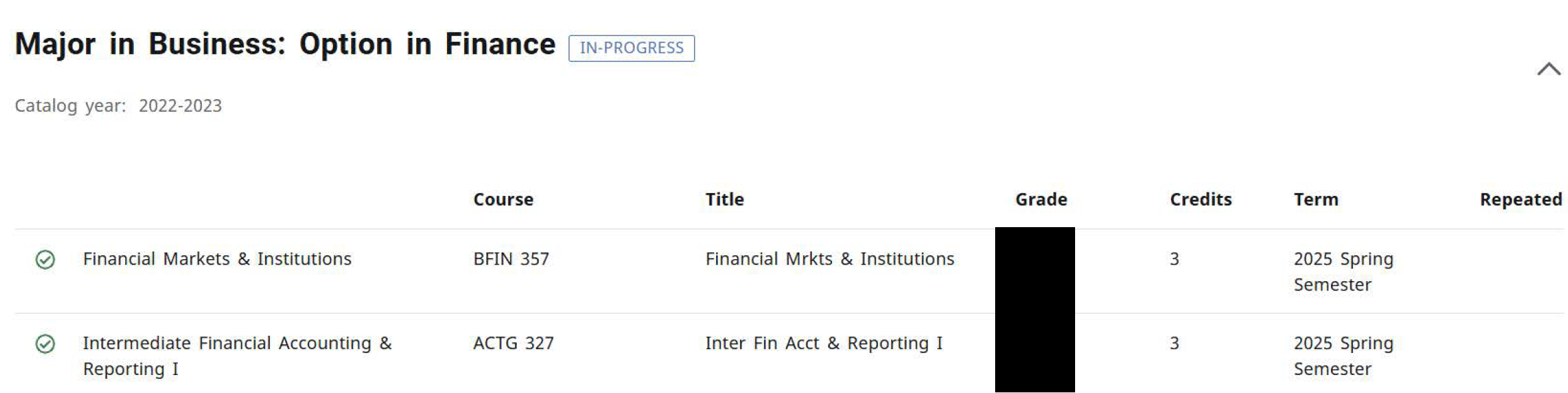
The Major Block lists the course requirements necessary to complete the Major (and Concentration, if applicable).
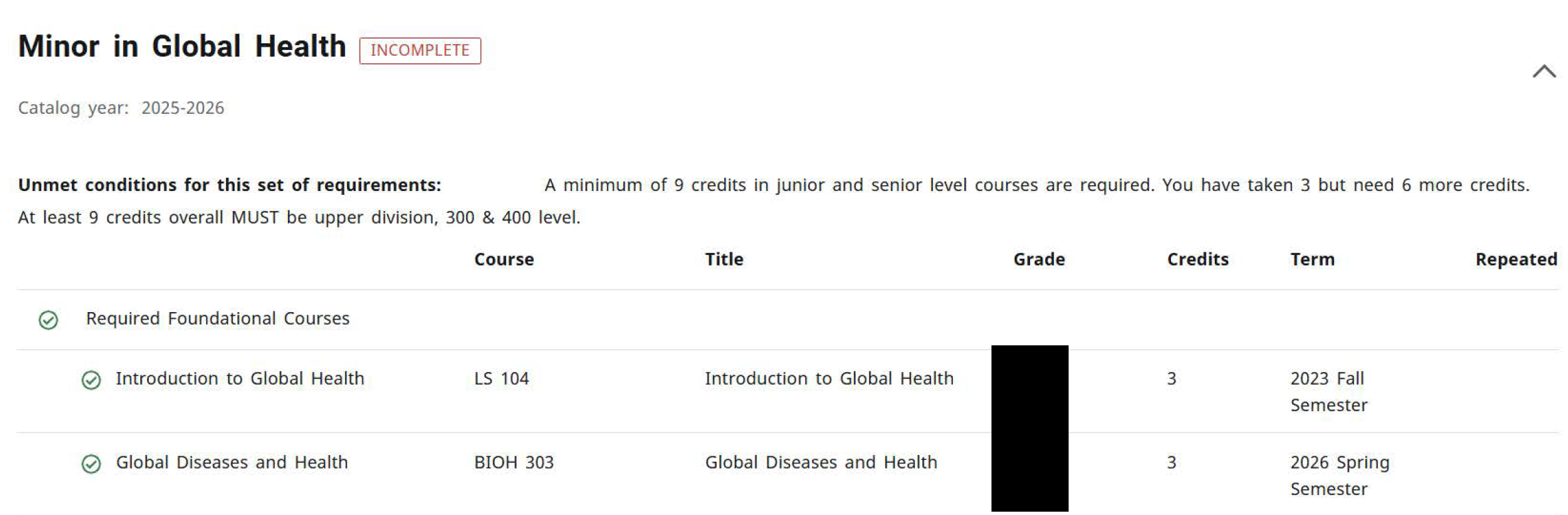
MINOR BLOCK
The Minor Block lists the course requirements and conditions necessary to complete the Minor. Conditions will include minimum GPA, minimum overall and upper-level hours, and hours in progress.
ELECTIVES
Electives courses can be used towards the overall degree requirement, but do not naturally fit in the major requirement. The grades and credit hours from these courses are factored into the Overall GPA and total credit hours earned.

INSUFFICIENT
Insufficient coursework did not meet the minimum grade requirement and includes all F, W, and I-grade. Repeated coursework also appears under Insufficient. The In-Progress attempt will not apply towards the degree until the minimum grade requirement is met.

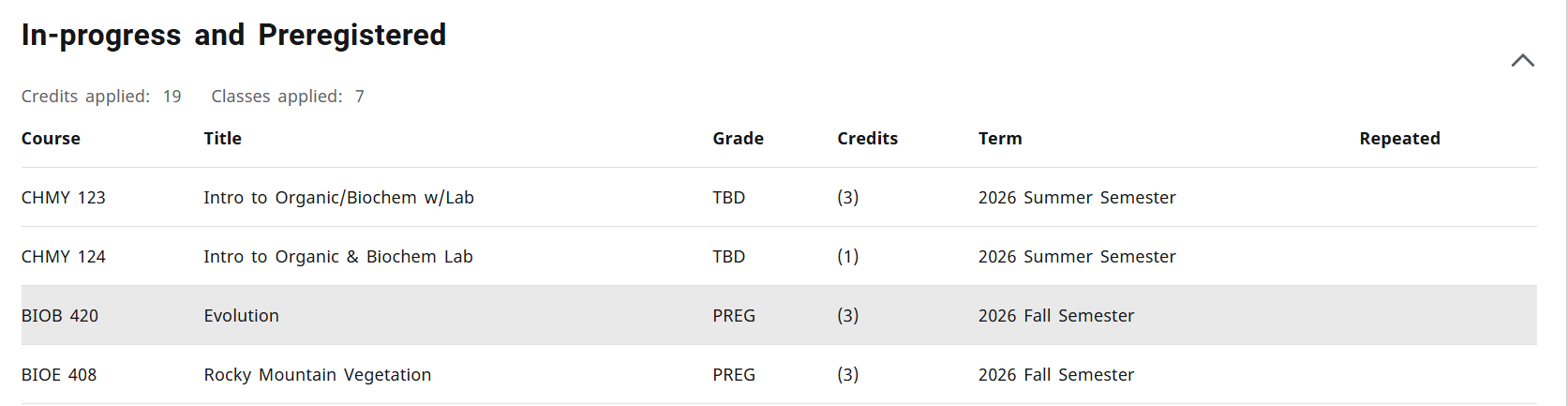
IN-PROGRESS / PREREGISTERED
In-Progress lists courses your students are currently registered for, while preregistered includes future courses for a future term.
EXCEPTIONS
Exceptions summarize any exceptions or substitutions placed on the audit of your student's degree progress.
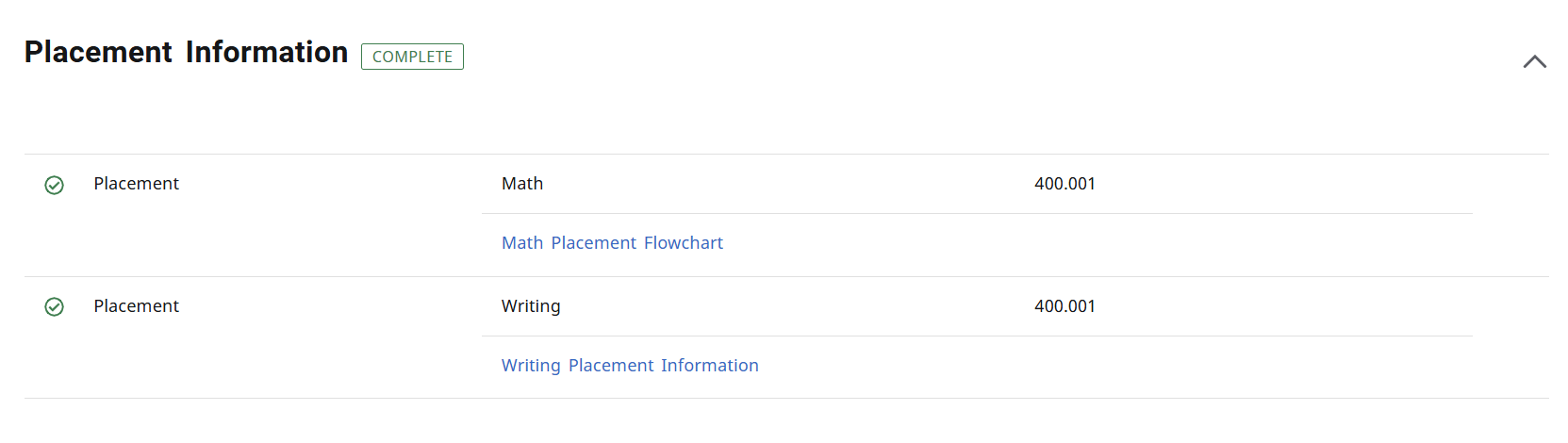
PLACEMENT TEST SCORES
Test Scores and Placement Data is displayed here.
NOTES
Notes are for faculty or staff to enter notes relating to their discussion with a student. The degreeworks tab notes are intended for sharing information and advice directly related to a student's progress toward degree including registration, curriculum, enrollment, graduation application, credential auditing and degree certification.
WHAT-IF ANALYSIS
The What-If Analysis allows students and advisors to process a hypothetical audit. The analysis applies completed and in-progress coursework to different majors, concentrations, and/or minors in order to see how degree progress is affected.
FUTURE COURSES
The Future Courses tool allows courses to be applied as planned to the audit to see if a course meets a degree requirement.
ACADEMIC PLANS
Advisors can organize future coursework by creating a semester-by-semester academic plan. Plans can be built from a blank template or an MSU degree template (when available) and provide tracking tools to monitor progress toward graduation.
COURSE HISTORY
Course History shows a semester-by-semester summary of the coursework taken and grades earned. Term and Cumulative totals are also included in this information. This is an unofficial transcript. From the ellipsis icon, select Course History.
PRINTING AN AUDIT
Click the Print icon at the top, right of the audit worksheet to view printing options.

ADVISOR CONTACT INFORMATION
Click the Envelope icon at the top, right of the worksheet to view your advisor contact information